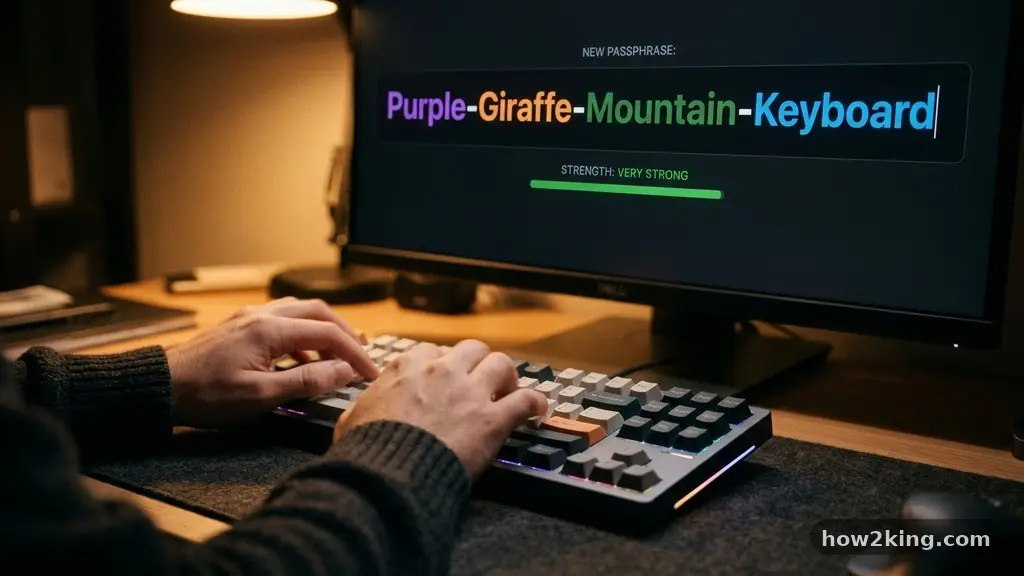
Learning the art of making a Strong Password You Can Actually Remember is the most effective way to secure your digital life without losing your mind. Most people rely on simple, predictable patterns that hackers can guess in seconds, but you don‘t have to choose between convenience and safety.
By shifting your strategy from memorizing complex strings of random characters to building memorable phrases, you can significantly improve your personal security. This approach transforms the way you interact with your online accounts, turning a chore into a reliable habit that keeps your data safe from unauthorized access.
The Strategy of Passphrases Over Passwords
The most reliable way to secure your accounts is to move away from single, complex words and toward long, descriptive passphrases. A long string of random words is exponentially harder for a computer to crack than a short, complex password.
While a computer might brute-force a ten-character password in minutes, a four-word phrase can take centuries to guess. The key to making a Strong Password You Can Actually Remember is to pick words that form a mental image or a personal story.
Think about a specific memory or a favorite hobby to generate your phrase. For example, “Blue-Kite-Flying-High-1995” is easy to visualize and contains enough variation to be secure.
By using separators like hyphens or spaces, you make the string easier to read and harder for automated scripts to interpret. This method leverages your brain’s natural ability to store narratives rather than isolated character sequences.
Why Length Beats Complexity
Many users believe that adding symbols like exclamation points or dollar signs is the peak of security. While these characters are helpful, they are often predictable when placed at the end of a word.
A long phrase that is 20 characters long is significantly more secure than an 8-character password with a symbol. You gain security through sheer volume of combinations rather than just character variety.
Avoiding Common Security Pitfalls
When you set out to create your credentials, it is tempting to use information that is easy to recall, such as birthdays or pet names. Unfortunately, this is the first data a malicious actor will try when attempting to breach your accounts.
Any information that can be found on your social media profiles is essentially public knowledge. Avoid using your street address, school mascots, or the names of your children.
Another major mistake is the tendency to reuse the same password across multiple platforms. If one site suffers a data breach, all your other accounts become vulnerable to the same threat.
You should aim to make each account unique, even if you use a similar base phrase for different services. This simple habit prevents a single security lapse from turning into a total loss of your digital identity.
How to Use Password Managers Effectively
Even with a great memory, keeping track of dozens of unique phrases is a heavy lift for anyone. This is where official cybersecurity guidance suggests using a dedicated vault.
A password manager acts as a secure container for all your login information, requiring you to remember only one master key. You can generate complex, random strings for every site while the software handles the storage and auto-filling process.
Using this technology doesn’t mean you stop creating your own phrases; it just means you have a backup for when you need to store something truly complex. You can store your personal passphrases in the manager alongside auto-generated codes.
This hybrid approach ensures you are never locked out of your life if you forget a specific entry. It is the gold standard for maintaining high security with low daily friction.
The Science of Memory and Pattern Recognition
Your brain is hardwired for patterns and stories, not for random digits. When you try to memorize a password like “xY7#b9!z,” your mind treats it as noise and struggles to retain it.
Conversely, if you create a phrase based on a sequence of events, your brain encodes it as a coherent memory. This is why techniques like the “sentence method” are so effective for long-term retention.
Try to pick a sentence that describes a specific action you enjoy. “I-Drink-Two-Large-Coffees-Every-Morning” is a perfect example of a phrase that is impossible for a hacker to guess but easy for you to recall.
You can customize this by adding a unique identifier for each site, such as the first letter of the service. By building a system that feels natural to your daily routine, you remove the stress of having to write down your credentials.
Data Comparison of Password Strength
Understanding the difference between common habits and secure practices can change your perspective on how you protect your accounts. The following table highlights why length is the most critical factor in modern security.
| Password Type | Estimated Crack Time | Memorability |
|---|---|---|
| Simple (e.g., “password123”) | Instant | Very High |
| Complex (e.g., “P@ssw0rd!”) | Minutes | Low |
| Long Phrase (e.g., “Green-Apple-Jump-High-99”) | Centuries | High |
Five Principles for Digital Safety
To ensure your accounts remain locked down, stick to a set of core principles that guide your creation process. These rules are designed to be simple enough to follow every time you sign up for a new service.
- Always aim for a minimum of 16 characters to maximize entropy.
- Use a mix of uppercase letters, lowercase letters, numbers, and symbols.
- Avoid using dictionary words that appear in common wordlists.
- Change your master password periodically if you suspect any compromise.
- Enable multi-factor authentication wherever it is available as a final layer of defense.
Following these steps provides a safety net that goes beyond just the text string. Even if someone manages to guess a portion of your phrase, they will still face the hurdle of a secondary verification step. This multi-layered defense is the most effective way to protect your personal information in the current digital climate.
Frequently Asked Questions
How often should I change my passwords?
You don’t need to change them frequently if they are long and unique. Modern advice from security experts suggests only changing them if you have a reason to believe they were compromised, or if a service specifically requests an update.
Can I use the same password for all my accounts?
No, this is dangerous because it creates a single point of failure. If one site is breached, every other account using that same credential becomes accessible to hackers. Always use a unique variation for each platform.
What is the 8-4 rule for passwords?
The 8-4 rule is an older, outdated guideline that suggested using 8 characters with 4 different types of symbols. Today, we favor longer passphrases over short, complex ones because longer strings are much harder for machines to crack.
Is it safe to write down my passwords?
It is generally safer to use a digital password manager than to write them on a piece of paper. If you must write them down, keep the paper in a secure, locked location, but prioritize digital encryption for the best protection.
What makes a password hard to guess?
A password is hard to guess when it lacks predictable patterns and personal information. Randomness is key, which is why long, nonsensical phrases or randomized strings generated by software are the most secure choices.
Maintaining Your Security Habit
Building a secure digital life is a process that requires patience and a bit of discipline. When you focus on making a Strong Password You Can Actually Remember, you stop viewing security as an obstacle and start seeing it as a routine. Take the time to audit your most important accounts today and update them with your new, stronger phrases.
You will find that the peace of mind is well worth the small effort required to set up your new system. Stay consistent, use a manager for the heavy lifting, and keep your digital identity protected for years to come.